Basic Instructions
- Open your Teams App or go to www.teams.microsoft.com
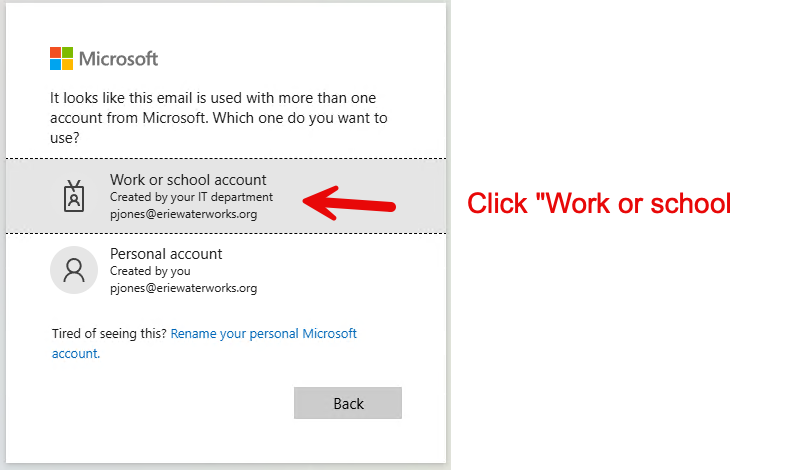
- Select “Work or school account”
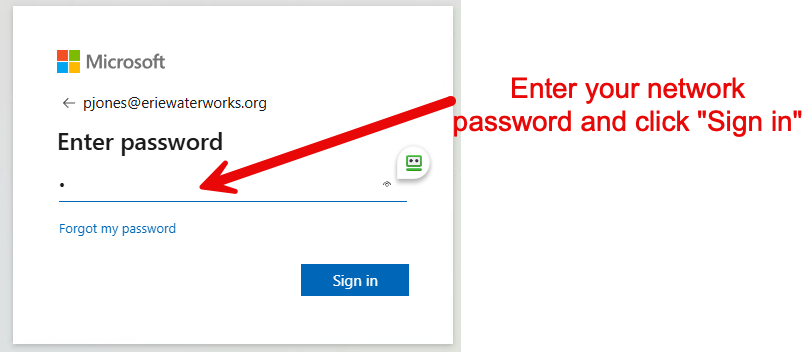
- Enter your network password.
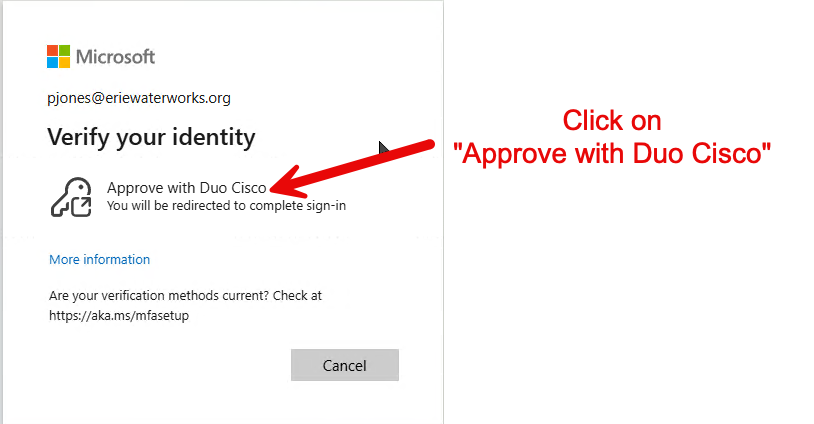
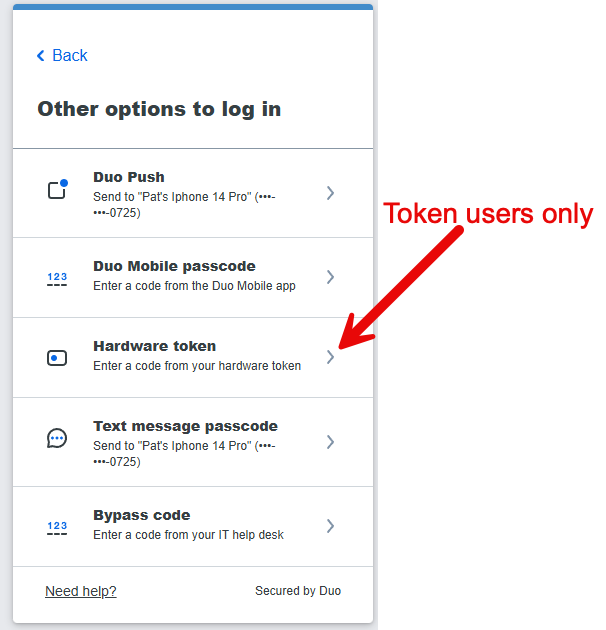
- Click on “Approve with Duo Cisco”
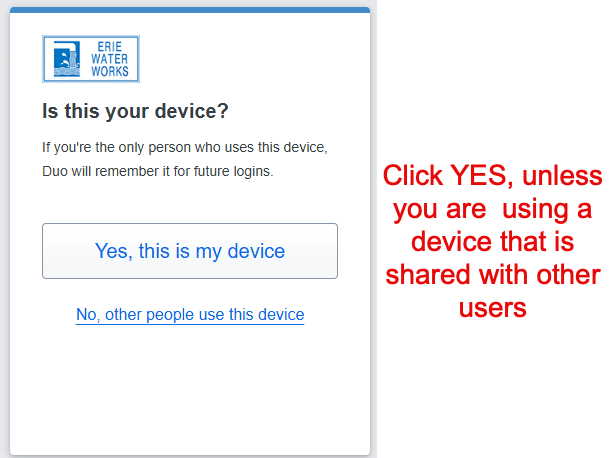
- If prompted to “stay signed in” you can select YES.
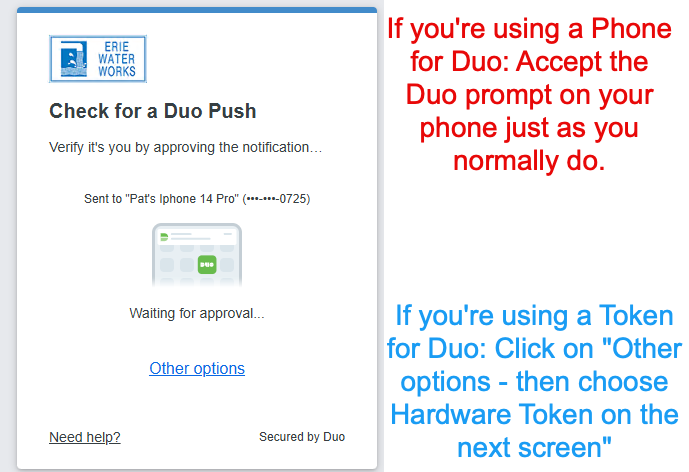
- Answer the Duo prompt on your Phone, or with your Token if you are using a token instead.
Note: The Teams app will periodically ask you to re-verify your login from time to time.
That’s it! 🙂
Instructions with Screenshots.
- Open your Teams App or go to www.teams.microsoft.com
Note: The Teams app will periodically ask you to re-verify your login from time to time. You may see a banner like this in your teams app:

